
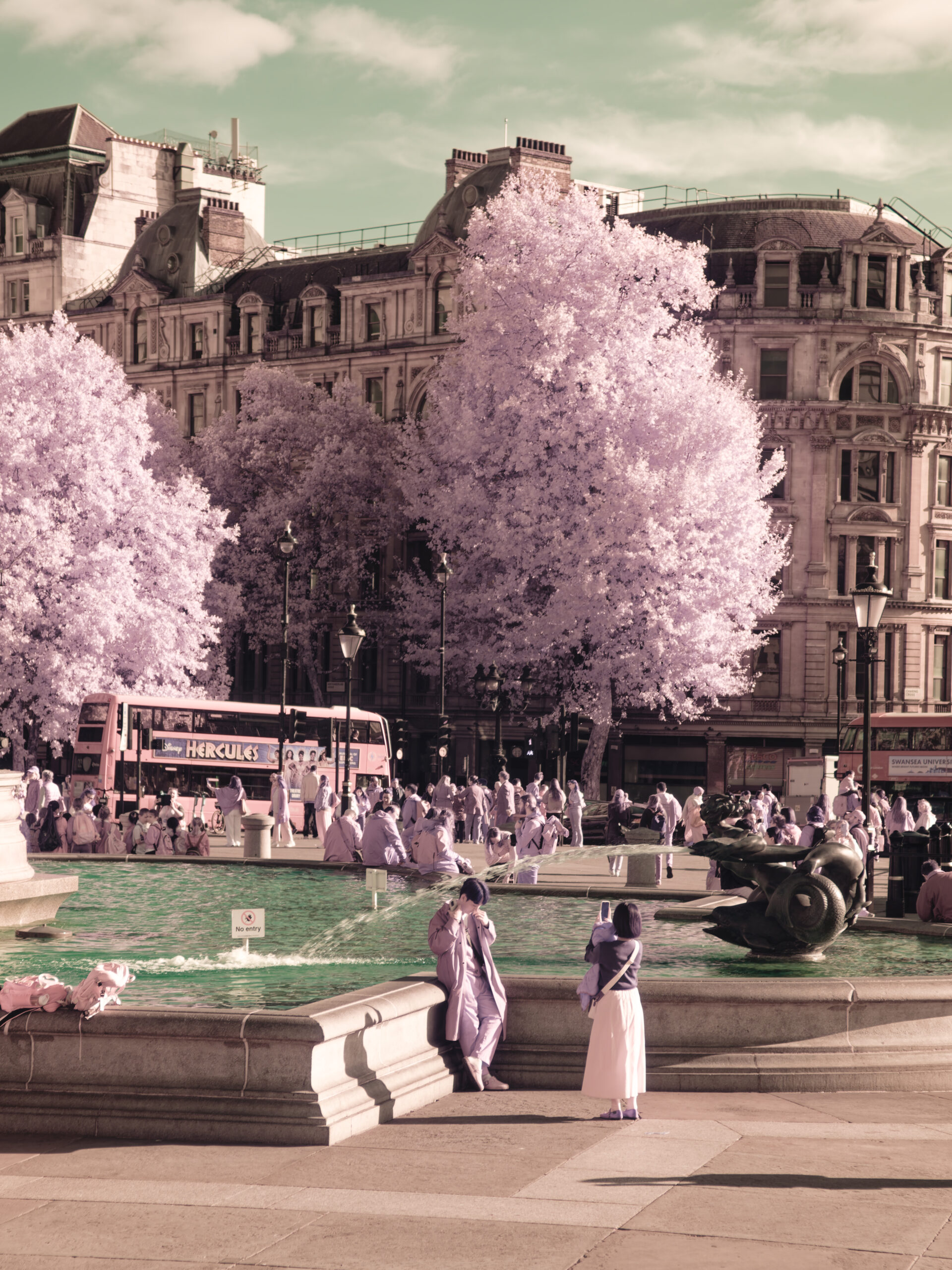
For digital infrared photographers, the “Aerochrome” look—vibrant pink/red foliage and deep blue skies—is the ultimate prize. It recreates the psychedelic aesthetic of Kodak’s discontinued EIR film, which was originally designed for camouflage detection but became a favorite of artists like Richard Mosse.
Historically, getting this look required one of two things:
- Heavy Photoshop Work: Shooting at 590nm or 720nm and performing complex channel swaps.
- Expensive Specialty Filters: Buying a dedicated “IR Chrome” glass filter (often $100+).
But there is a third way. It is a specific combination of two common, relatively affordable filters that, when stacked, produces the Aerochrome look Straight Out Of Camera (SOOC). No channel swapping required.
Here is the recipe I use to get pink trees and blue skies without ever opening Photoshop.
The Hardware Recipe
To make this work, you need a Full Spectrum converted camera. (This technique will not work on a standard camera or a dedicated 720nm/590nm conversion).
You will need to stack two specific filters on your lens:
- A Yellow Filter: Standard “Yellow 12” or “Yellow 8” (commonly used for B&W contrast).
- A Blue Cooling Filter: Specifically the B+W KB-20 (or an 80B equivalent).
Why This Stack Works (The Science)
At first glance, this combination seems nonsensical. A yellow filter blocks blue light. A blue filter blocks yellow/red light. Logic suggests that stacking them would result in a black image.
However, we are dealing with infrared, where the rules of visible light don’t apply.
- The Yellow Filter cuts out the visible blue wavelengths, which prevents the image from looking washed out.
- The KB-20 Filter is a color conversion filter (Tungsten to Daylight). It doesn’t perform a hard “cut” of red/green light; it just attenuates it. Crucially, it allows infrared light to pass through.
When you combine them, you create a unique “spectral window.” The sensor receives a specific mix of attenuated visible light and pure infrared light that effectively mimics the spectral response of Kodak’s three-layer emulsion. The camera’s white balance system can then separate this into “Blue” (Sky) and “Red/Pink” (IR/Foliage).
The Workflow
1. The Setup
Screw the Yellow filter onto your lens, then screw the KB-20 on top (or vice versa; the order doesn’t strictly matter for optics, but putting the darker filter on the outside can sometimes reduce internal reflections).
2. Custom White Balance (Crucial!)
You cannot use Auto White Balance (AWB). If you do, the image will look muddy and brown.
- Point your camera at a patch of green grass or foliage that is illuminated by the sun.
- Set a Custom White Balance on that grass.
- The Magic: Your camera will neutralize the green grass to grey/neutral. Since IR light is registering as “red” to the sensor, the camera pushes the white balance to compensate, turning the grey grass into a vibrant pink or red. The sky, which has very little IR reflection, shifts to a deep blue.
3. Shooting
Shoot in RAW + JPEG. You will see the Aerochrome colors in your viewfinder (if mirrorless) or on your rear screen immediately. This is the “Holy Grail” moment: composing in color rather than guessing at monochrome tones.
Post-Processing (The “Polish”)
While the image comes out of the camera with the correct color separation, it often needs a little polish to make the colors “pop” like true film.
- No Channel Swapping Needed: You do not need to swap Red and Blue channels. The colors are already in the right place.
- Hue & Saturation:
- Reds: The foliage might look a bit orange or rusty straight out of camera. Use the Hue slider to shift the Reds/Oranges slightly toward Magenta/Pink.
- Blues: The sky might be a bit teal. Shift the Blue/Cyan hue to get that deep, “inky” Aerochrome blue.
- Contrast: IR images are naturally flat. Add a gentle “S-curve” in your tone curve to deepen the shadows and brighten the highlights.
Summary
The KB-20 + Yellow stack is the closest I have found to “digital alchemy.” It turns a Full Spectrum camera into a dedicated Aerochrome machine for the price of two standard filters, saving you hours of post-processing time.